Private, dedicated IP
The IP address is assigned to you alone. It stays consistent instead of rotating or being shared with other customers.
IPBurger for ecommerce sellers
We recommend IPBurger's Private Dedicated IP for ongoing management of established seller accounts. Choose an IP address location that fits your business, then connect through IPBurger's Chrome extension.
One private IP address
One IP. Multiple team members.
Work together from different locations on your own devices.
Exclusive to your business
Up to 5 devices at once
Illustration of the recommended setup, not an IPBurger dashboard screenshot.
Why we use it
A private dedicated IP keeps your IP address consistent. Select it in IPBurger's Chrome extension and continue using your usual Chrome profile, without opening a remote VPS desktop.
The IP address is assigned to you alone. It stays consistent instead of rotating or being shared with other customers.
Select your purchased dedicated IP address in IPBurger’s Chrome extension and work in your usual Chrome profile. No remote desktop setup is required.
Keep using Chrome on your usual computer. Actual browsing speed still depends on your device, internet connection and the proxy route.
For distributed teams
Team members in different countries can use their own devices and internet connections while their configured browser sessions connect through the same private IP address. IPBurger says its Private Dedicated IP supports up to five devices at once.
01 · Each teammate
Work from your usual computer and local connection, wherever your team is based.
02 · Shared setup
Connect each authorised browser session through the IP address assigned to your IPBurger plan.
03 · At the same time
IPBurger lists simultaneous use on up to five devices for its Private Dedicated IPs.
With each marketplace's staff permissions, authorised teammates can work on the same eBay, Amazon or TikTok Shop seller account at the same time. Give each person their own permitted access and check the IP address on every device before work begins.
Watch our guides
These Elevate Commerce videos explain the proxy choice and how it compares with working through a VPS. Watch them before choosing a plan.
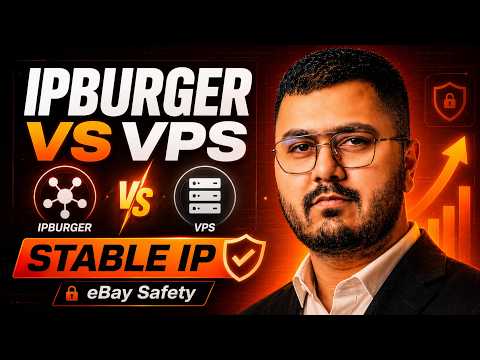
Elevate Commerce video
Our walkthrough of the practical differences between a local browser with a dedicated IP and a remote VPS setup.
Watch on YouTube
Elevate Commerce video
Our overview of proxy types and the questions to ask before choosing one for ecommerce work.
Watch on YouTubeOur recommendation
For ongoing operations and account management, we recommend one Private Dedicated IP on the 3 month billing cycle. Choose the IP address location that suits your established account and business setup. A private IP address is exclusively yours, so its usage history is not shared with other IPBurger customers.
A VPS can be useful for some teams, but working through a remote desktop can feel laggy. The IPBurger browser extension lets you work on your local device. Neither setup guarantees speed or protects an account from every security or policy issue.
From our experience
Our team has used IPBurger for more than five years. We have not identified an eBay account suspension caused solely by an IP issue while using this setup. That is our experience, not a guarantee: account standing also depends on identity checks, selling practices, security and marketplace rules.
Recommended configuration
Choose the IP address location that fits your business
$6.65/mo equivalent
$19.95 billed every 3 months in our checked example; your selected location's price may differ
META25 discounted the first payment in our checked example; the cart showed a $19.95 quarterly renewal. Prices and code eligibility can change, so check the final terms for your location before payment.
How to order
Choose the private dedicated IP address location that suits your account, then select the quarterly billing cycle we recommend.
Use the Elevate Commerce referral link and choose Private Dedicated IPs Basic. This is the single private IP plan.
Select the country that fits your established account and business setup. Check the location shown before continuing.
Choose the 3 month billing cycle. The Basic plan showed $19.95 billed upfront for the quarter in our checked example; confirm the price for your selected location.
Enter the promo code before paying and confirm the first-payment discount appears in the final order total. Send us the order confirmation if we are helping with setup.
At checkout
In our checked quarterly Basic example, META25 reduced the first $19.95 payment by 25% to about $14.96. The later quarterly renewal was $19.95. Confirm the current price and discount for your chosen IP address location before paying.
Install IPBurger's official Chrome extension, select the purchased dedicated IP, and check the browser's visible IP and location before using the profile. A browser proxy may not cover other applications or every possible network path. Keep your device secure and follow each marketplace's account and location rules.
Read IPBurger's extension guideIPBurger describes Private Dedicated IPs as suitable for managing established accounts, and recommends other products for new account creation. Use a location consistent with your legitimate business details. An IP alone cannot prevent reviews, restrictions or suspensions.
Check IPBurger's current plan detailsReady to order?
Choose Basic, your IP address location and 3 months, then try META25 at checkout.